Ok, well, I’m typing this with one hand, cuz my left arm is in a splint and pretty much useless. I was painting a wall at Bucketworks, when the ladder slipped and I got to ride it down to the concrete floor. I think I minimized the impact, but I hit the floor pretty hard. I think I stood up, or someone helped me up, and I noticed my arm was all going the wrong way at the elbow. Also, I couldn’t move it, and it hurt. I also asked James to take my shoe and sock off, cuz my big toe hurt like hell. It was all pointed up the wrong way.
James took me to urgent care, and the doctor there snapped my toe back in place after numbing it up, but they couldn’t fix my arm there. Oh yeah, also got a bunch of x-rays done before all of that, so they could see what the damage was… luckily nothing was broken.
Dana and the kids joined me at urgent care, and took me to the hospital where they could fix my elbow. But wait… yes wait. While “sitting in the waiting room” is great lyric from a Fugazi song, doing it for hours sucks. My mom and brother showed up as well, since Dana had to get Maddy to a party. Now, I didn’t want to be the jerk who keeps asking the front desk when it’s my turn, but after like 3+ hours of waiting, we asked, and they seemed surprised we had not been taken, and I went in right away.
Marty the nurse stuck a lot of needles in my right arm, which sucks cuz all my good veins are in my left arm. After the “conscious sedation” had effect, Marty and the doctor wiggled and snapped my elbow back in place. We hoped. It was off to x-ray to make sure… and yeah, it was all good. I do remember grunting and swearing a lot while they reset the elbow…
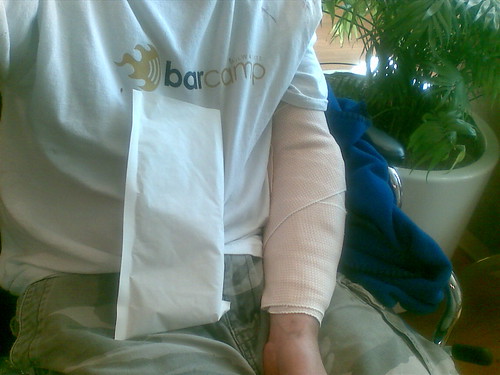
One of the funnier things that happened was when Marty the nursed asked if I could get my shirt off, or if it needed to be cut off. I was totally against that idea, cuz I was wearing my BarCampMilwaukee shirt, and even though it had paint, and floor glue, and sweat, and dirt on it, I just couldn’t see it being destroyed by a pair of scissors.
So… now I need to figure out how to “take it easy” but also move an entire office, configure a server and other systems, tell someone how to silk screen shirts, prep for BarCampMilwaukee3, and a few other things I probably shouldn’t do… all with one working arm. Whew….

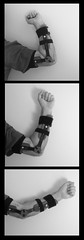 I’ve got a new splint. This one limits the range of motion of my arm. I can bend my elbow all the way up, well, as far as it can go right now, but I can’t completely straighten it. This is to prevent it from coming out of joint again, as the ligaments still need to tighten up.
