Categories
Uncategorized

macOS Web Launcher

Here’s a niche one… If you use the “Launchpad Key” on a keyboard while using macOS you know it’s a handy way to launch an application. I use it constantly. But if you want a similar experience for going to a web site (as in, visiting a web site in your preferred browser) and you don’t have Keyboard Maestro or a Stream Deck, I have another solution that uses Apple’s Automator.

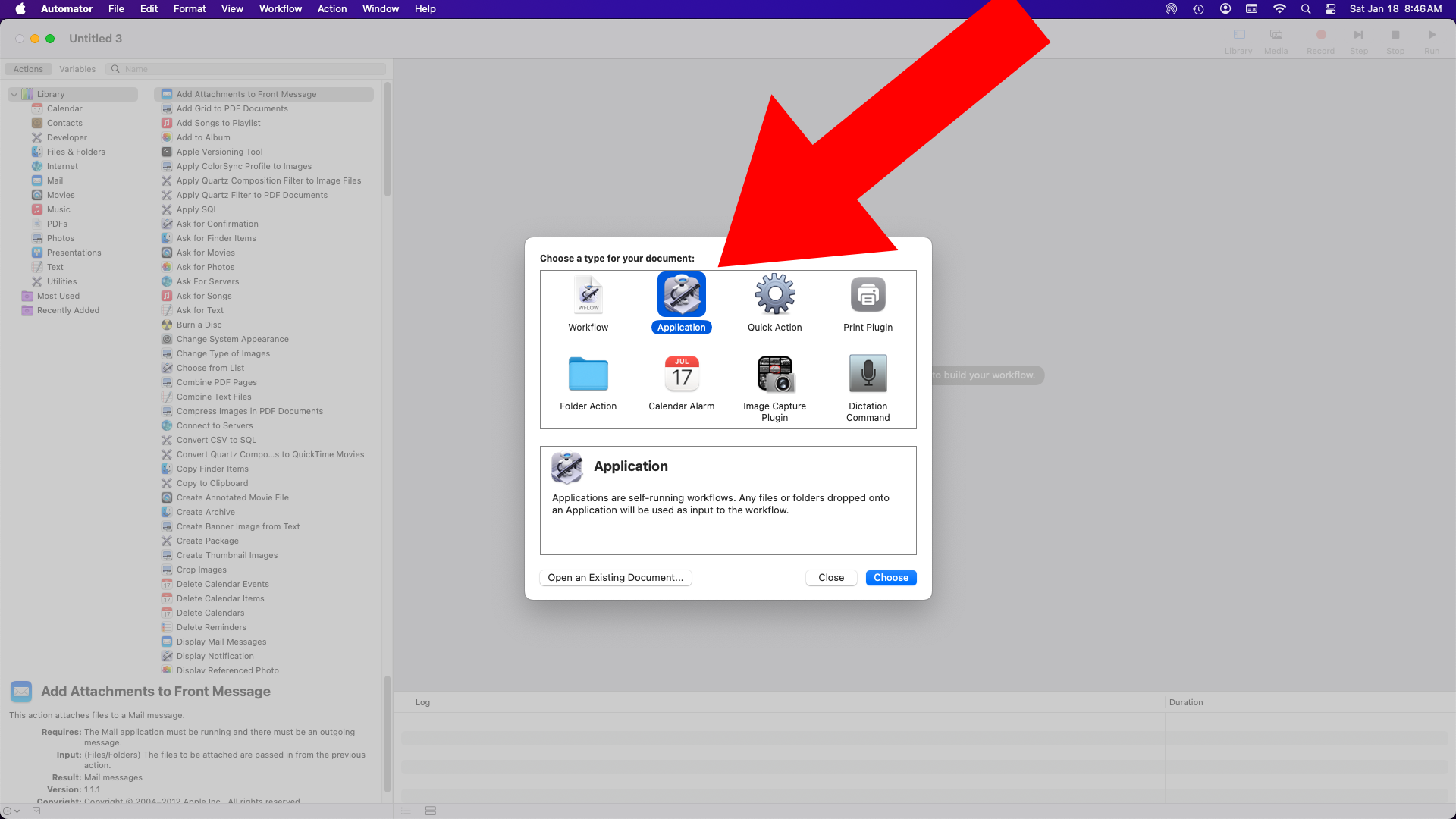
Launch Automator and create a new application…


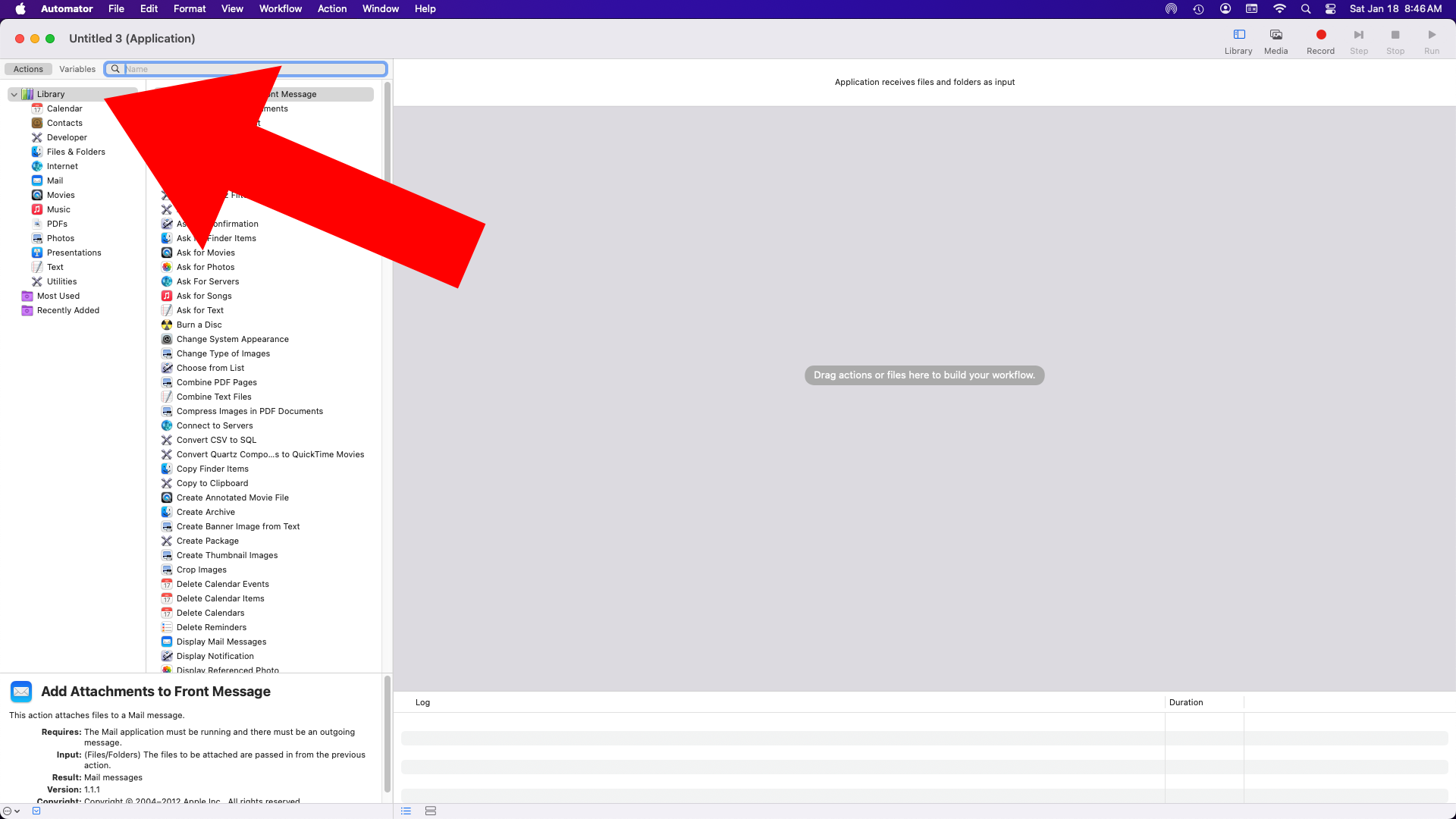
On the left Library should be selected, if not, select it…


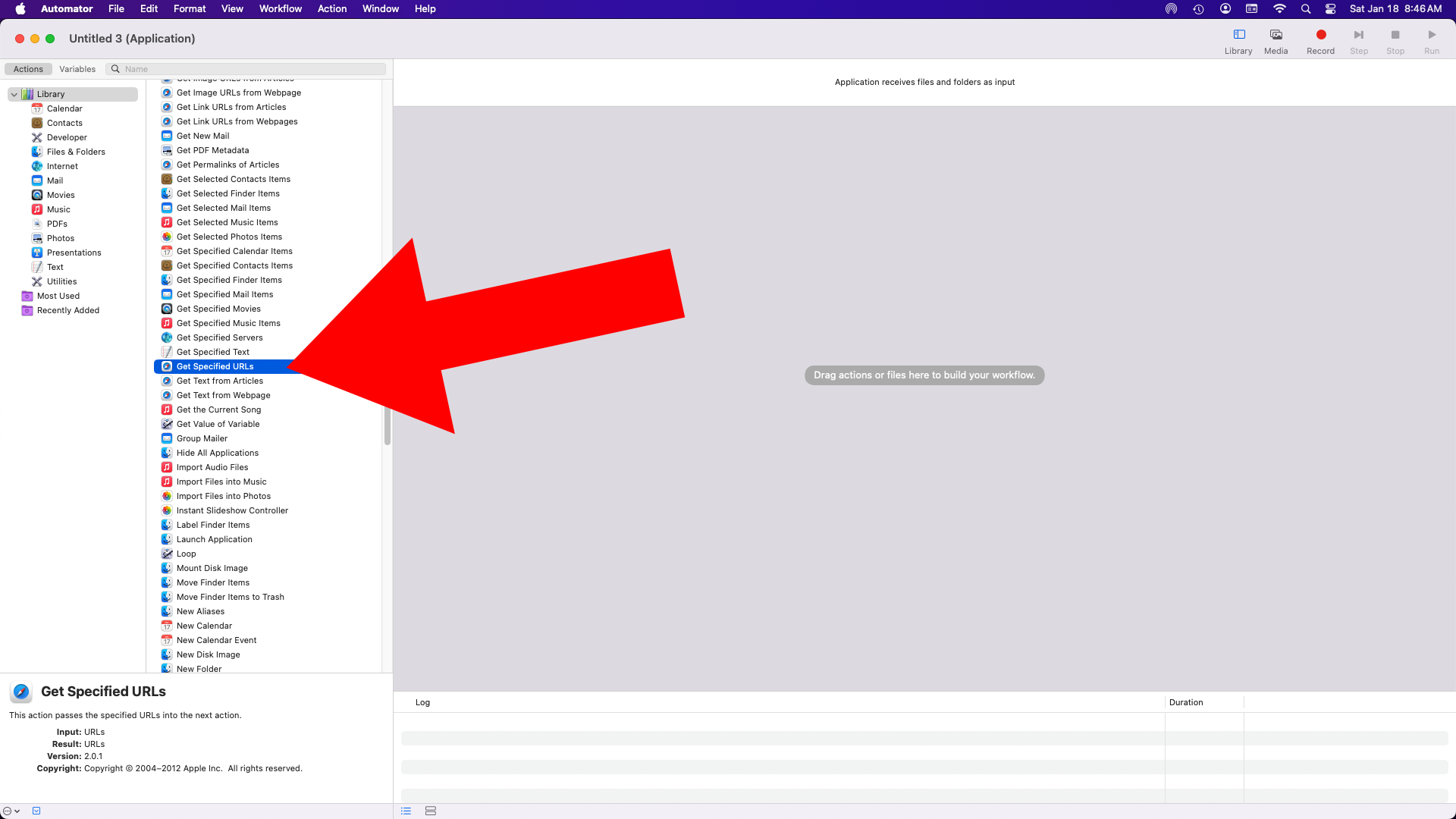
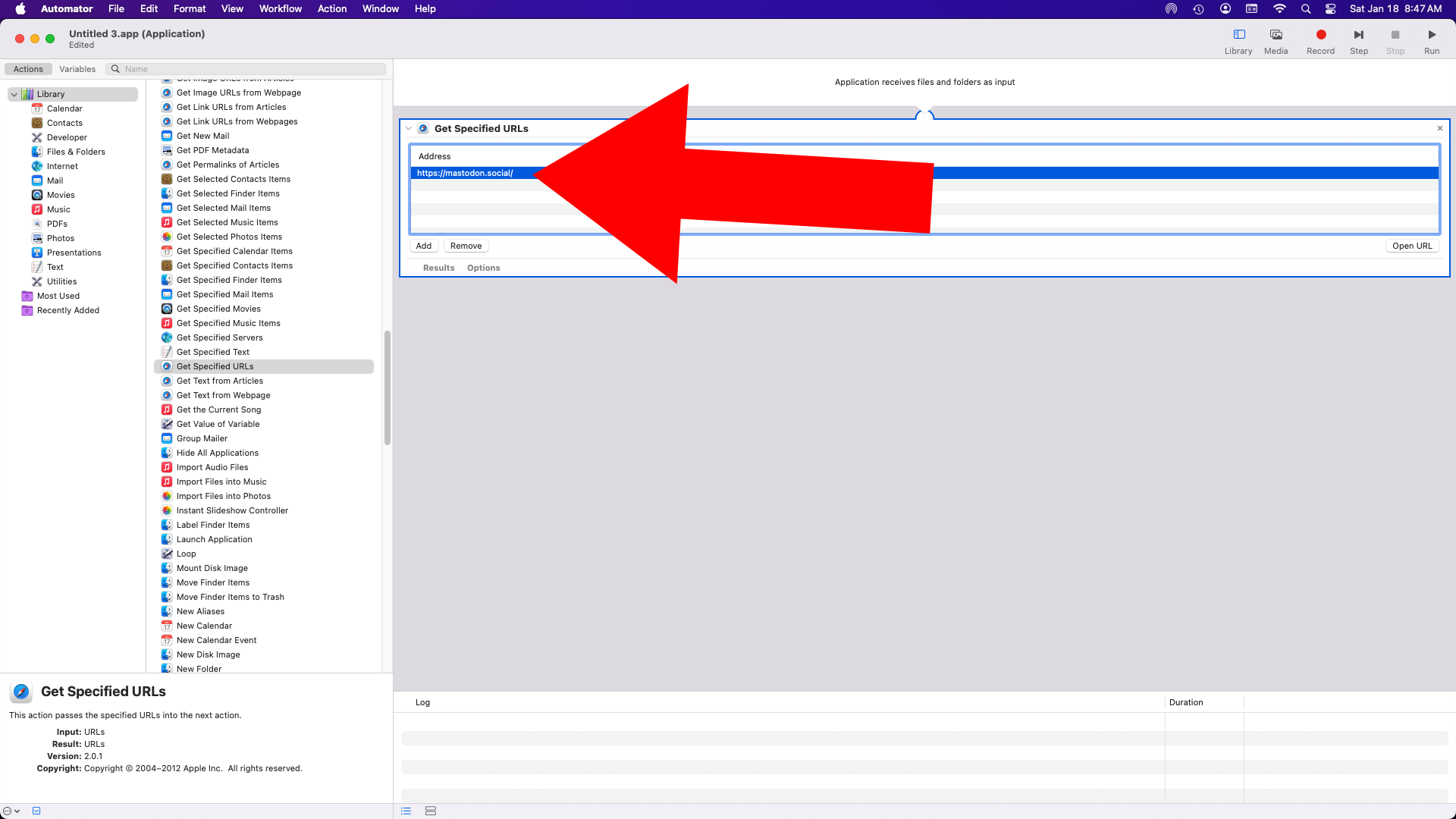
Click on “Get Specified URLs”…


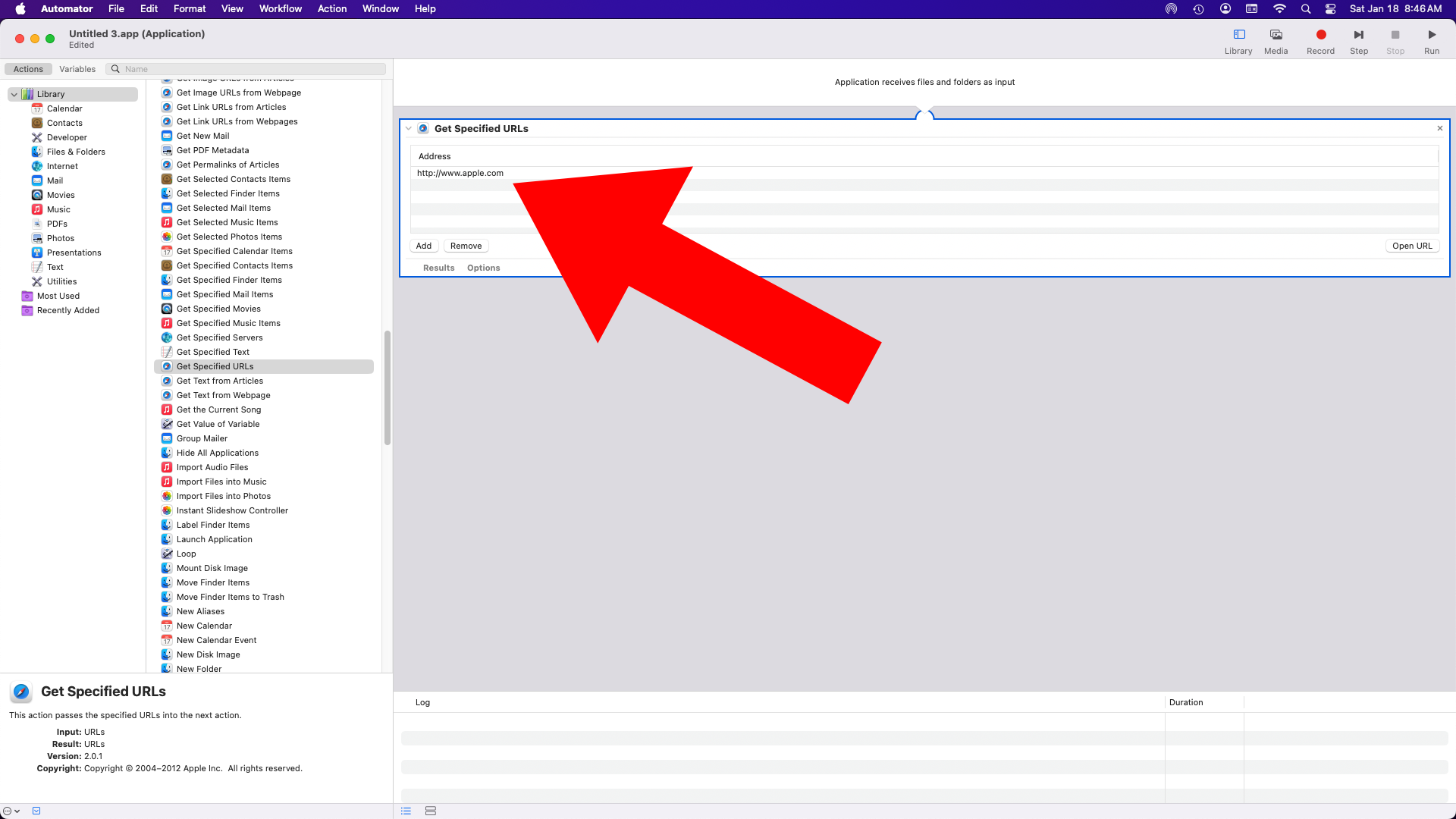
It will load up on the right side with Apple’s web site specified…


I changed it to mastodon.social in this example…


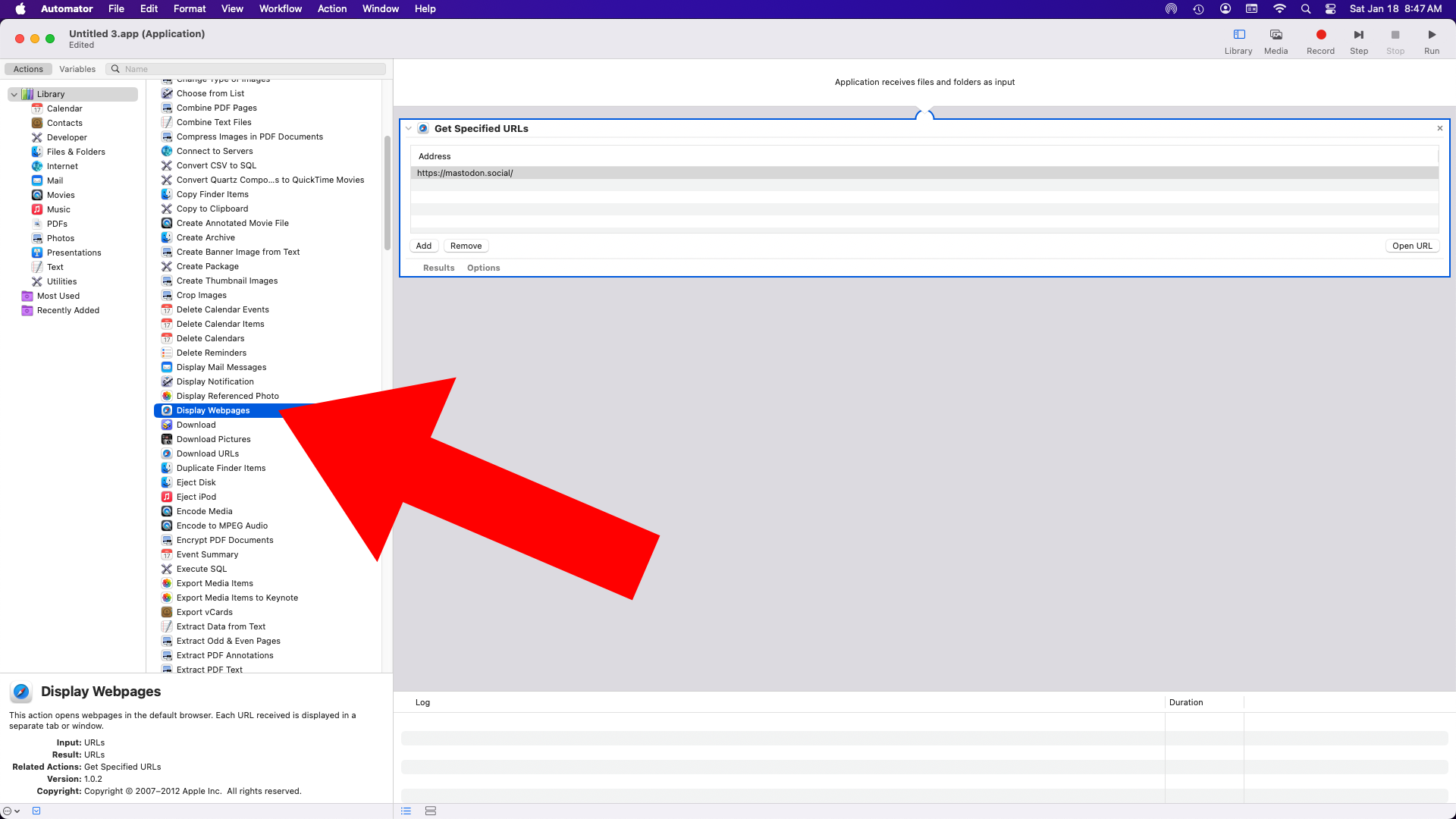
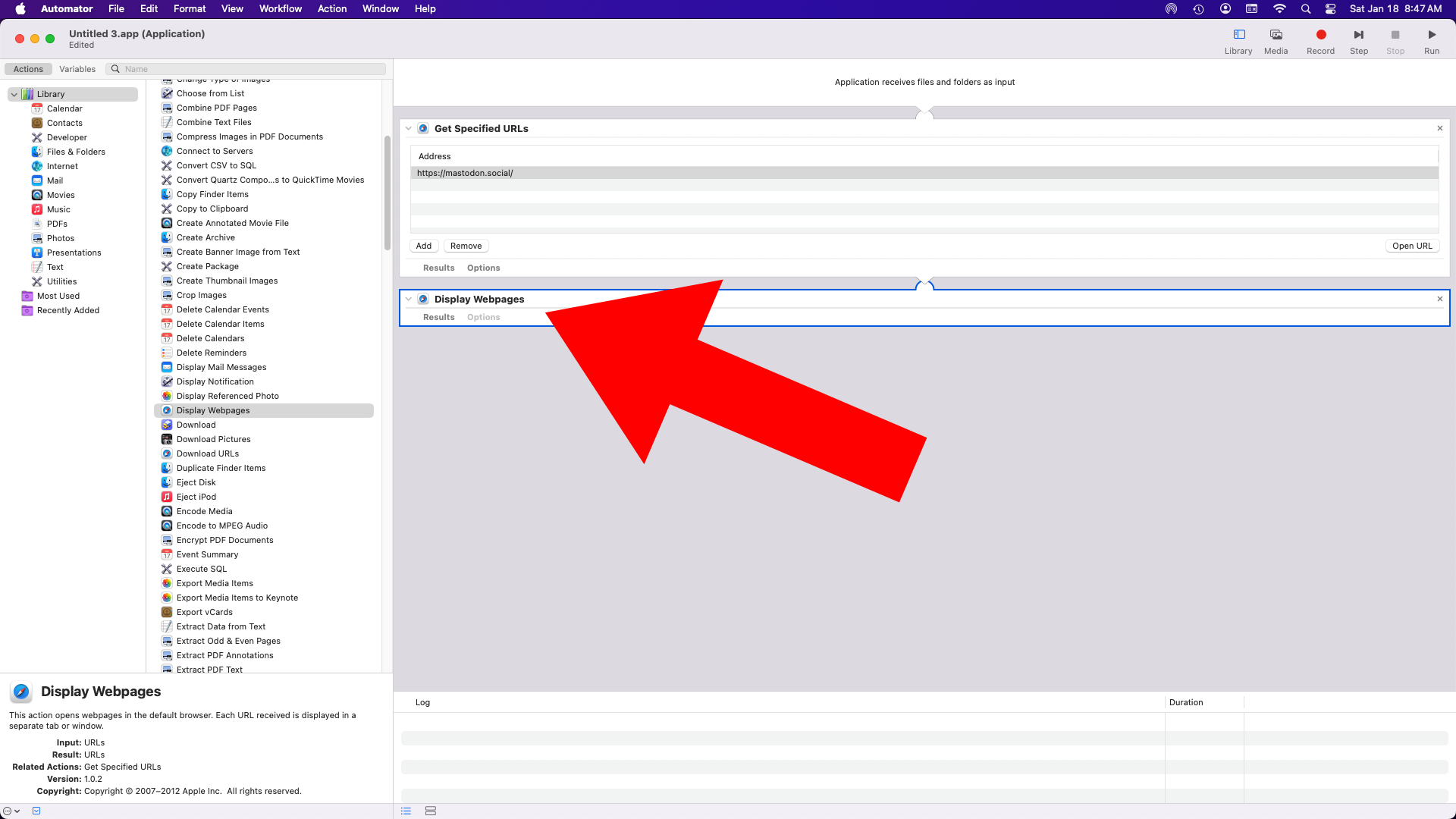
Now select “Display Webpages” from the second column…


It will get added to the right panel…


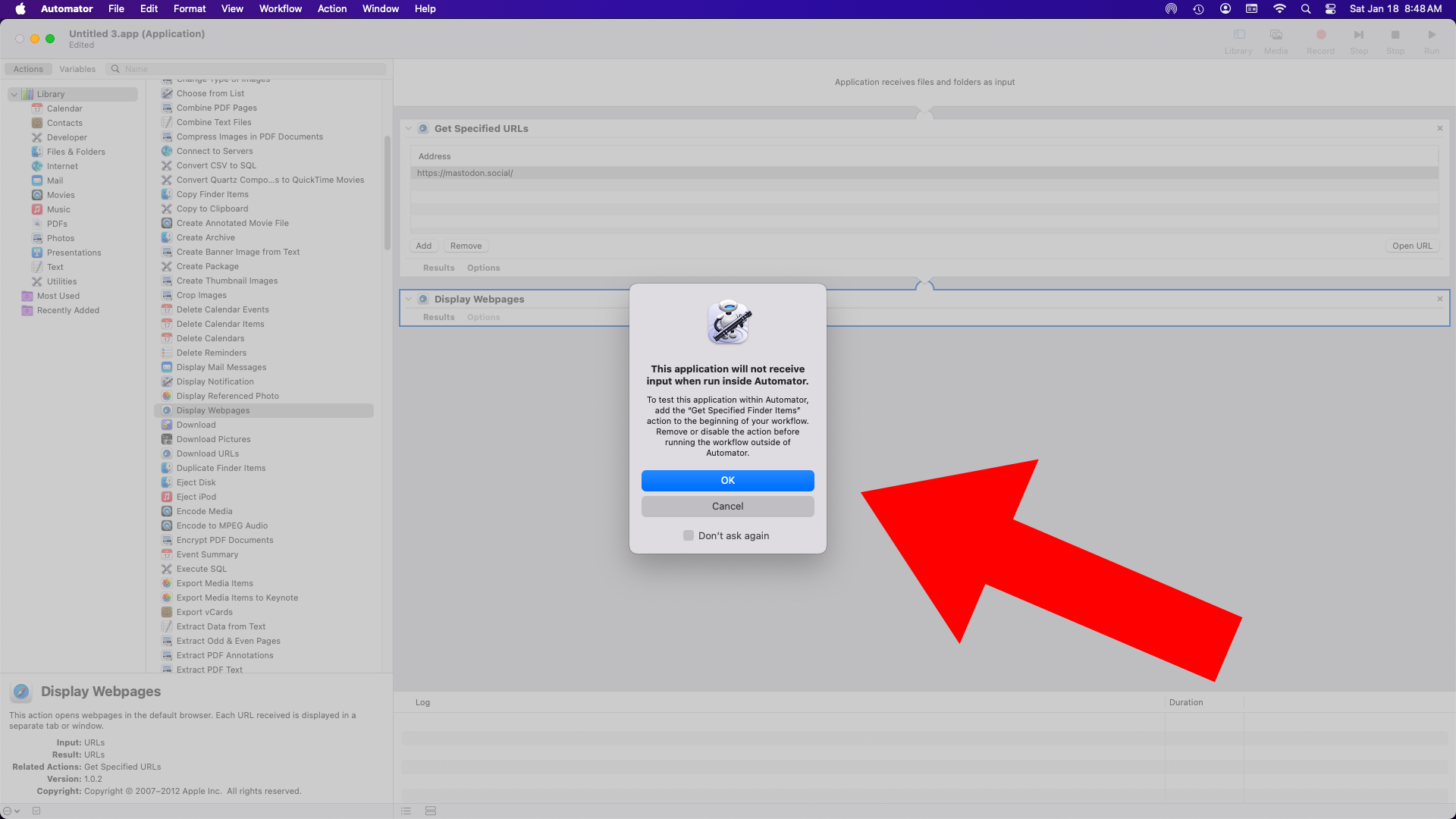
If you click the Run button you might get this warning… it will probably work just fine anyway. Test it out!


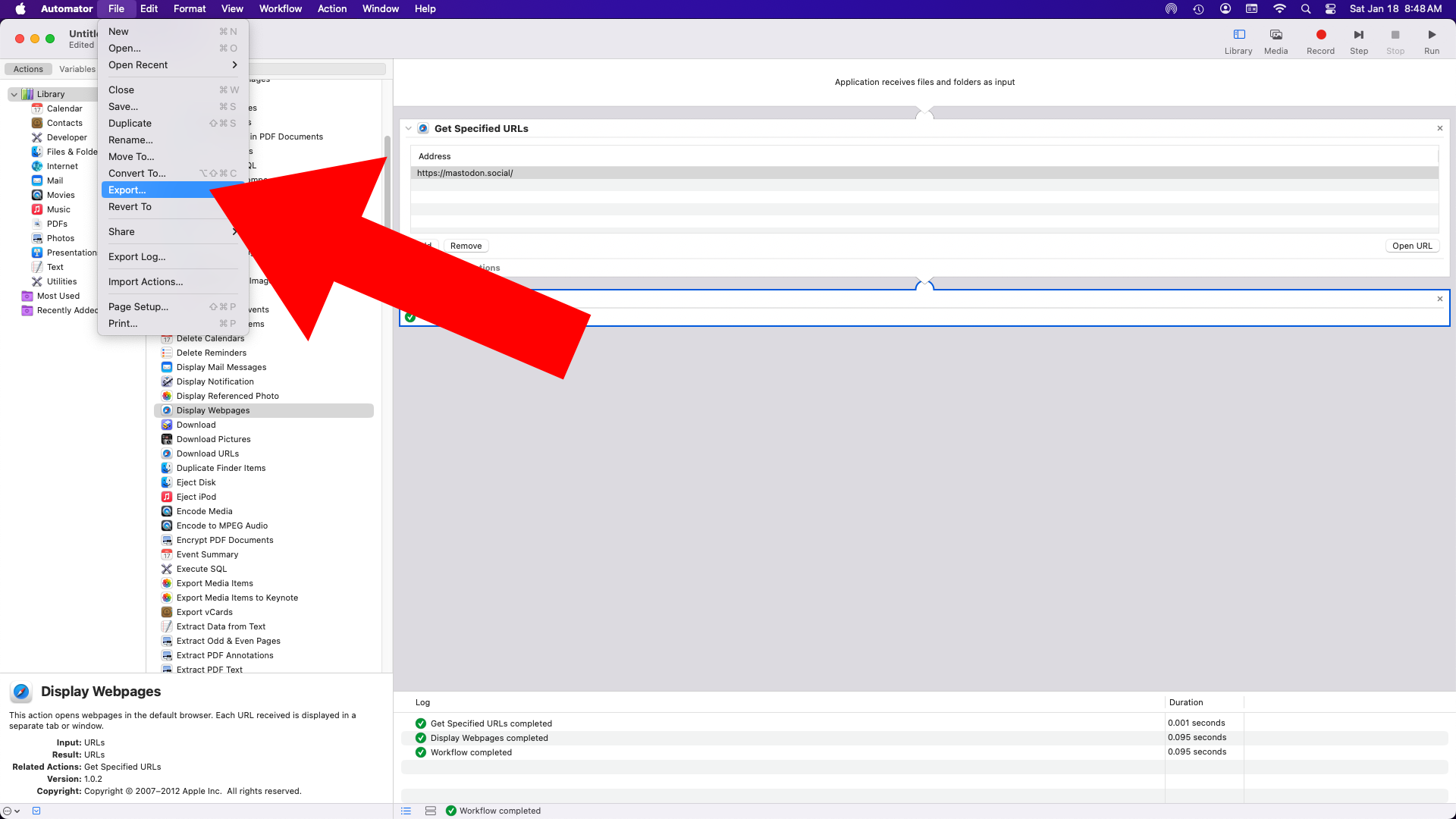
If everything worked you can Export it…


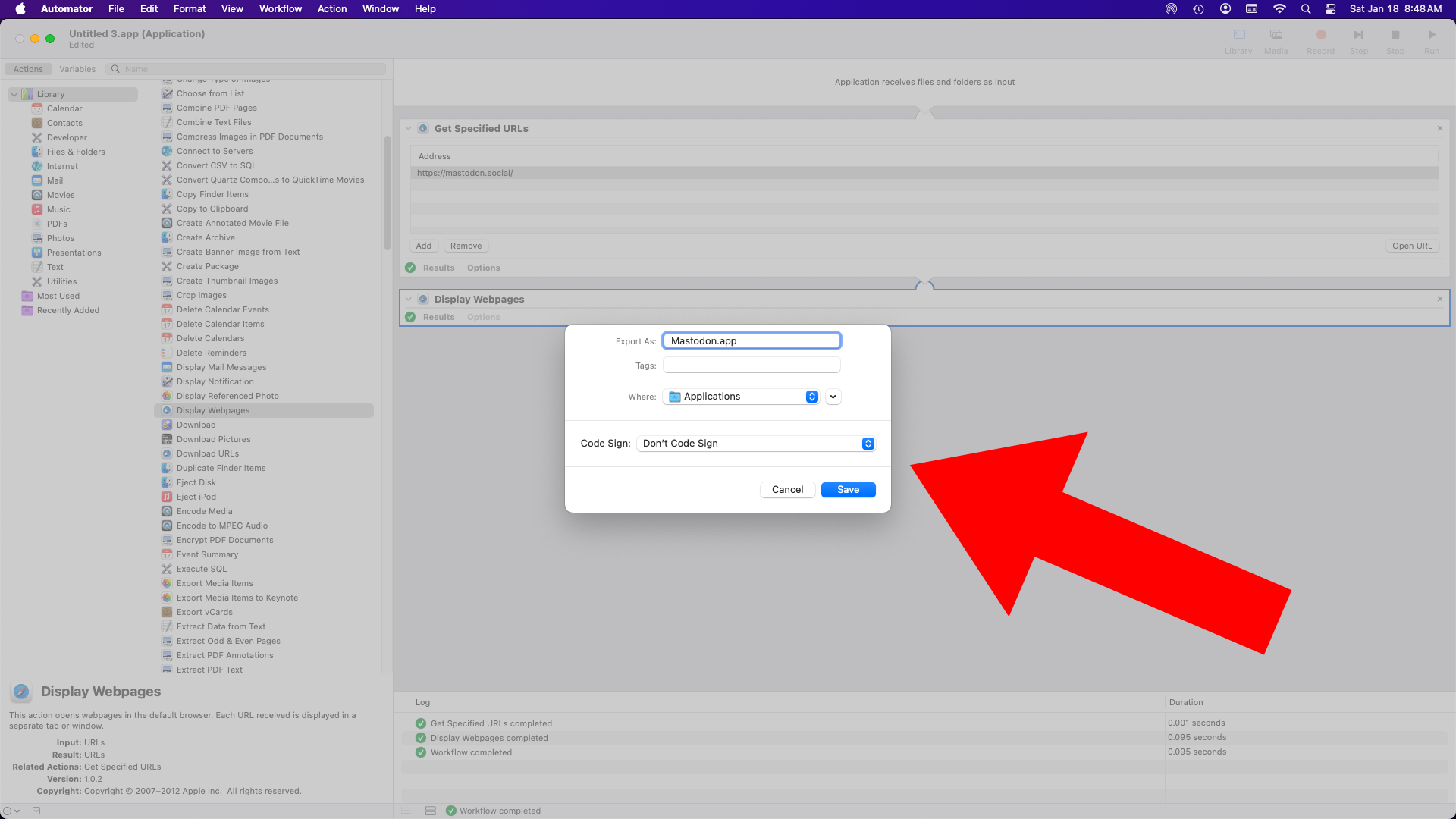
Give it a name (I chose “Mastodon”) and save it as an application in the Applications folder…


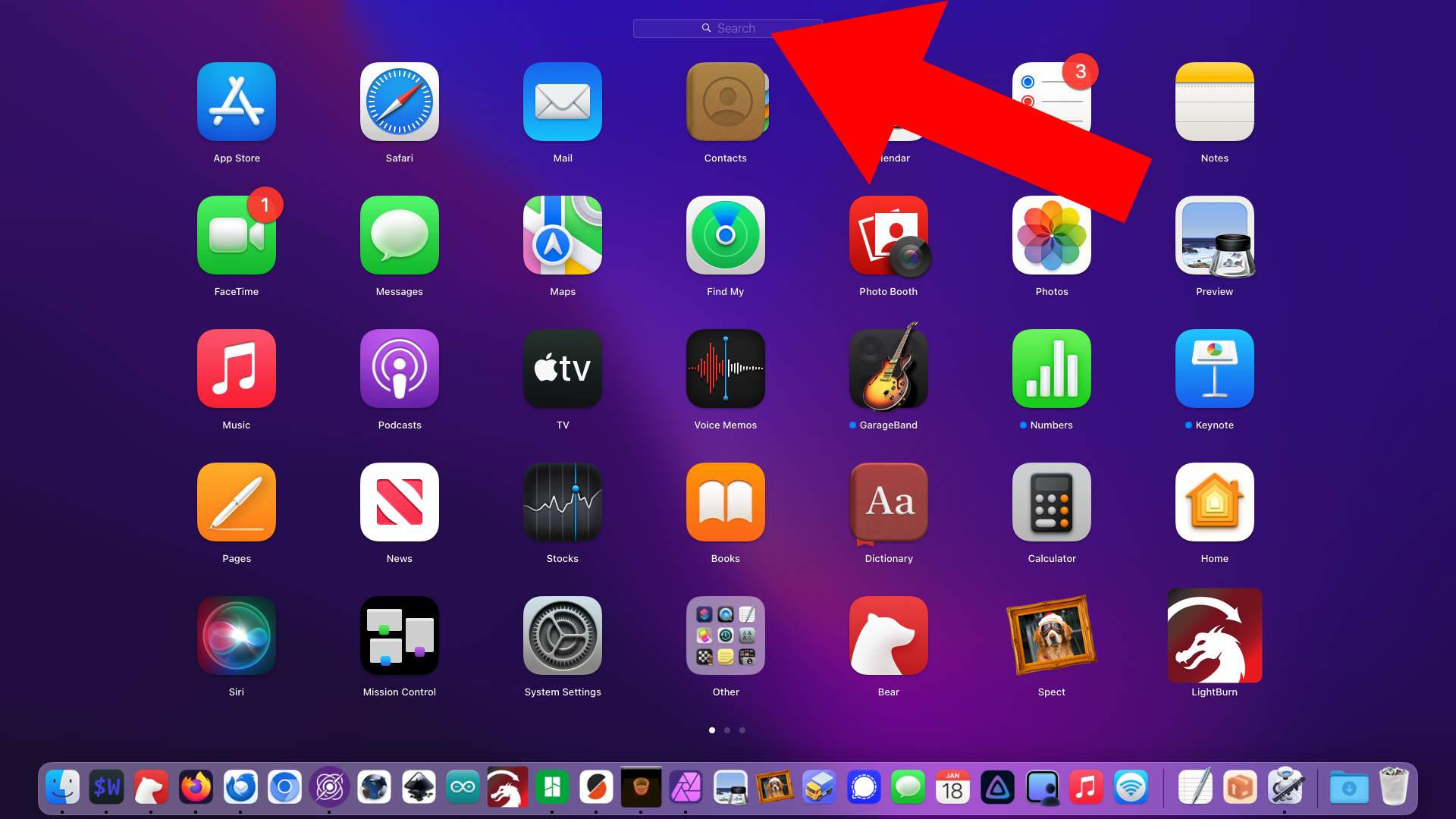
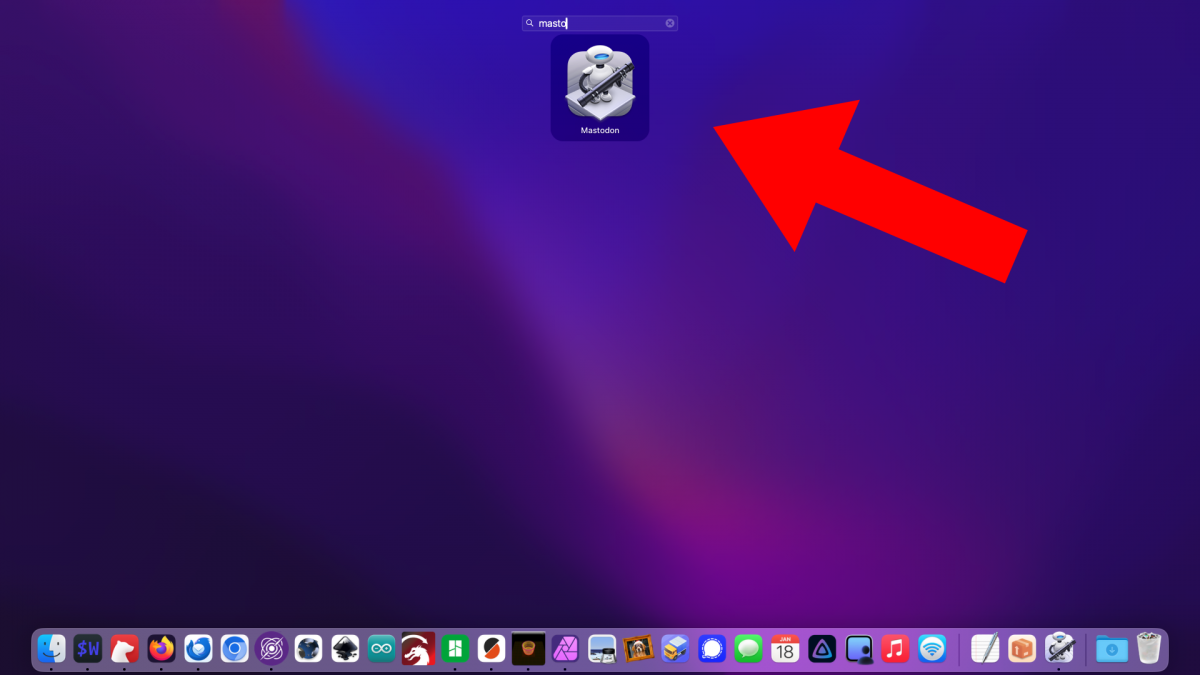
Okay, it should be ready! Hit the Launchpad Key…


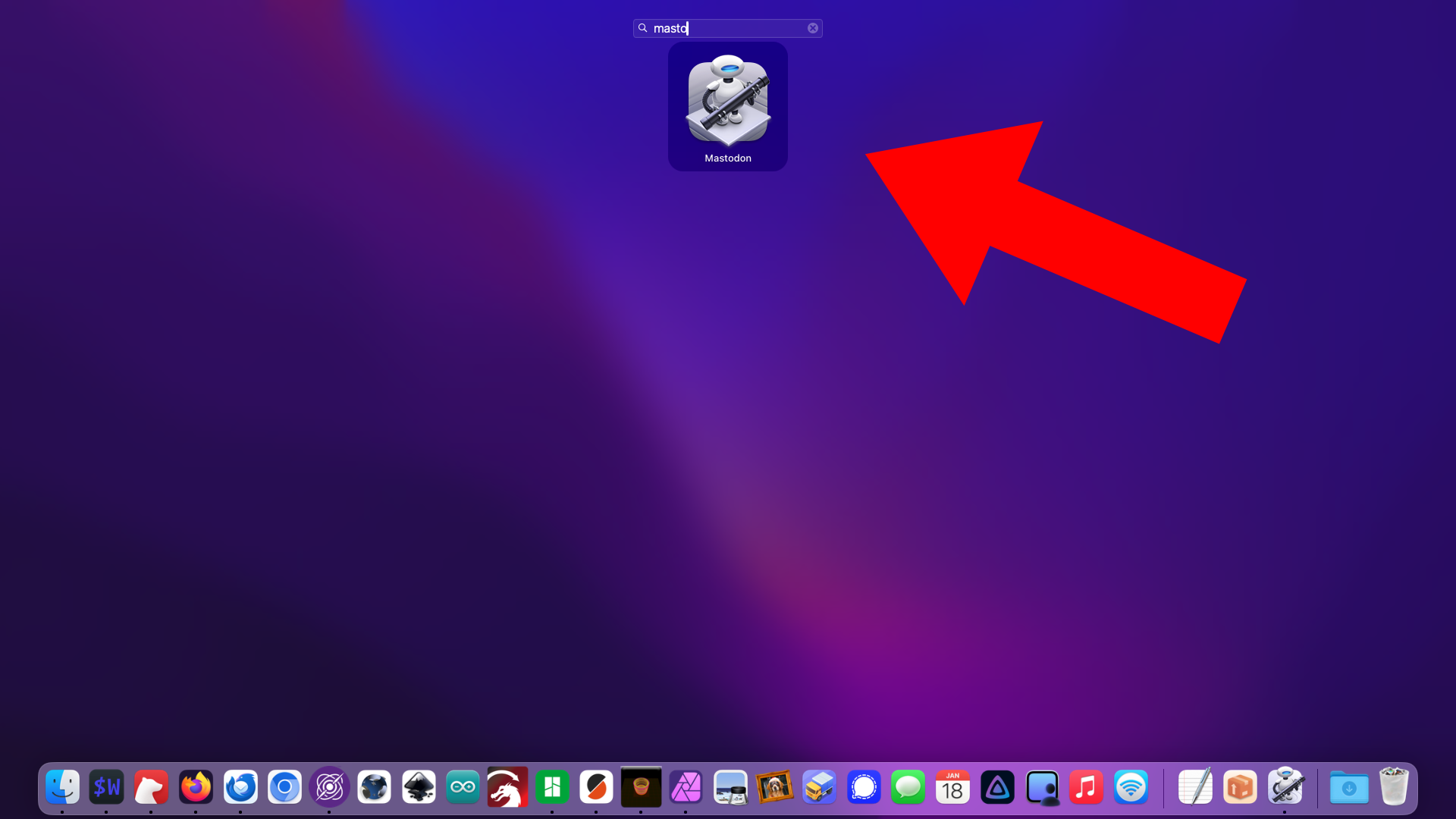
…and start typing the name of the Application/web site and it should pop up… Hit the return key to open it and you should go right to the web site in a new tab in your preferred browser!

I’ve made a few of these for sites I need to visit and it saves me the time of switching to my browser and opening the site in the usual/classic ways. Keyboard Maestro can make this even faster by just using a system wide unique key combo of course.

Update: As of 2026 and macOS Sequoia 15.7.1 the Lauchpad key no longer works for me and instead it launches Spotlight? I guess something changed. Weird. I’ve set it to appear with a key combo. Whatever…


Note: This post contains an Affiliate Link. Read More.

Categories
Uncategorized

Your Recipe is Killing Me…

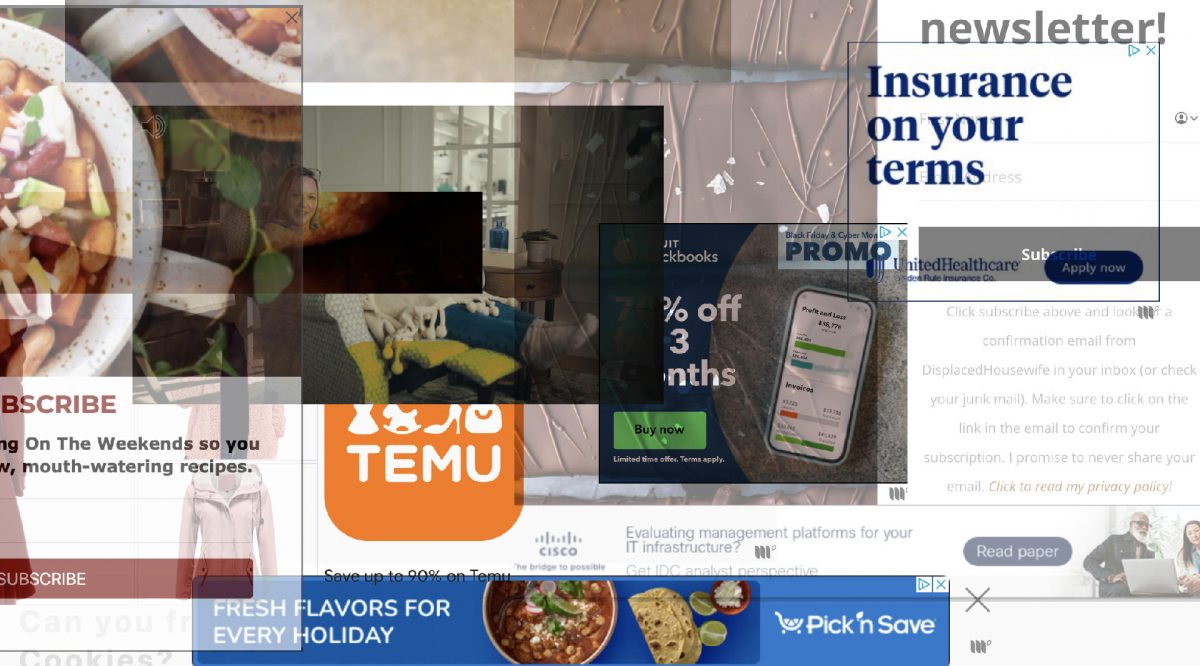
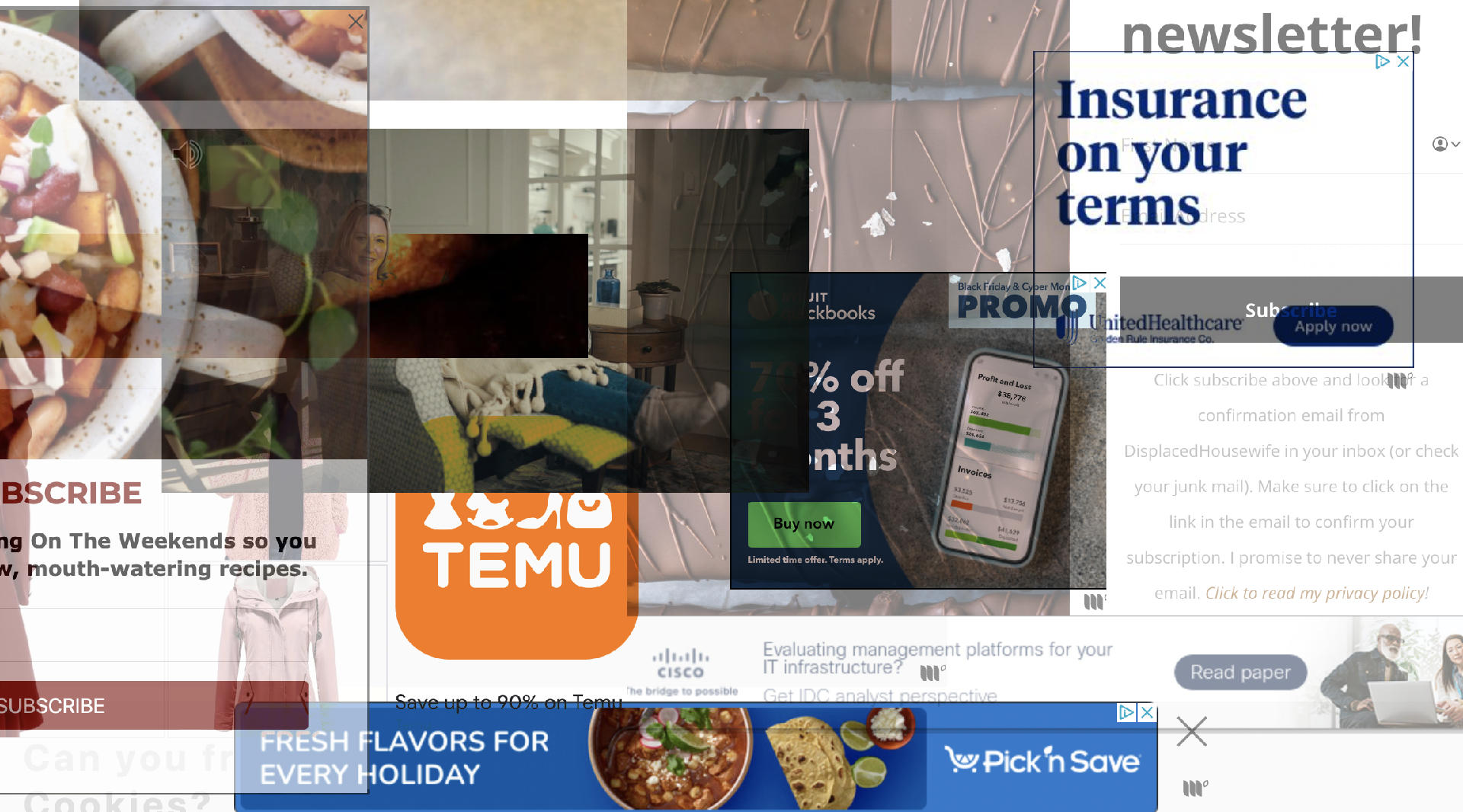
I like to bake and make in the kitchen and while I have my own recipe collection I still look up recipes online all the time, which I think is a common thing to do. There are a lot of “food bloggers” or recipe sites and the old joke is that you have to read someone’s life story before you can read the recipe. “I’m a busy mom with three active kids and a husband who works a lot of hours” or however it goes before a long story about how a quick and easy recipe is just the ticket for a weeknight with soccer practice and swim lessons…

Where was I? Oh yes, I’m a busy maker who just wants the damn recipe. I often use an old iPad in the kitchen and I’ve noticed that some of these food/recipe blogs are so overrun with ads… popup ads, video ads, and lots of faff, that my iPad sometimes can’t even render or properly load the page.

Now I know these bloggers are trying to make a living (or at least extra money) by “posting content” that will get clicks and views and all that but I hate it. I hate it. So I will visit your site one time, I will copy and paste your recipe into my digital notebook and use that, and add my own notes, and keep the URL in case I ever want to visit again, and if I make changes I may even share it on my own blog.

You can find all of the recipes I’ve shared (free of ads and tracking) by following the recipe tag.

(And yes, I do know about ad blockers, I run uBlock Origin on my desktop browsers, etc. I should probably just stick to using the laptop in the kitchen to keep things clean.)

Update: Check out cooked.wiki!

Categories
Uncategorized

And then there was a wiki…

wiki

I’ve long been a proponent of wikis as knowledge bases within organizations. Since I discovered WikiWikiWeb in 2000, I was struck by the power and simplicity of wikis. (This was a year before the launch of Wikipedia, and many years before most people had even heard of Wikipedia!)

The first wiki I launched for a company started small, and eventually grew into a tool the Interactive department used for crucial information used by the staff. Some people believe that keeping data locked up within their own notes—or worse, just inside their own brains—creates job security. If no one else knows how something works, you become invaluable. My argument goes the opposite way, that creating a wiki and sharing all the knowledge shows your commitment to the health and well being of an organization.

During a job interview in 2006 I mentioned how I left behind a 200+ page wiki at my previous position, and without a doubt, that was the one thing that brought up the most questions from my interviewer. (The position wasn’t right for me, but I always secretly hoped they launched an internal wiki.)

Inc Magazine has a nice article titled A Micromanager’s Guide to Trust, with this great bit:

At Staff.com, Martin came up with a novel solution: He created a wiki that describes how to handle some 500 operational issues.

Exactly!

While I’m sometimes a bit too busy to do all the wiki maintenance I’d like to do, the Milwaukee Makerspace wiki has grown to become the operational manual for the organization. This is even more important when you realize that each year a new group of leaders is elected to the Board of Directors. And since the group is a “club” and not an “employer” people are free to leave when they want. (Meaning, there’s no firing or laying people off, but we do have to deal with people who just “disappear” sometimes.)

To me, this all goes back to the original idea of why I find/found the Internet so interesting. It’s about sharing information, openly and freely, with others. It’s about storing knowledge and having it easily retrievable. Wikis accomplish these things, and for that, I am mighty grateful.

(Oh, and my favorite wiki for the past fear years has been DokuWiki. Check if out if you need to implement a wiki for your organization.)

Categories
Uncategorized

Sir Like-A-Lot

Sir Like-A-Lot

My latest project was sort of a failure, but I’m going to post about it anyway, because such things are important.

For a recent event I wanted to create a unique way for people to LIKE something, and get a reward for it, so I grabbed a Raspberry Pi and got to work. The idea was pretty simple, a full screen display showing the number of Facebook likes, with the URL for people to visit the page (on their mobile devices) and like it. The display would then update in “near” real-time (Well, every 10 seconds) and there would also be a surprise…

Step #1 is always configuring the Raspberry Pi. I installed Raspbian, had it set to boot to the desktop, and installed the packages I needed, mainly Apache and Chromium, since I’d be using a local web server and web browser for the display.

Getting the Raspberry Pi to work as a kiosk display was next. I didn’t want any menus or OS parts showing, so I used Chromium running in kiosk mode. My /etc/xdg/lxsession/LXDE/autostart file looked like this:

# config to launch Chromium in kiosk mode and load our application
@xset s off
@xset -dpms
@xset s noblank
@chromium --kiosk --incognito http://127.0.0.1/likealot/

We got rid of the part that lets a screensaver run, and added in the bits to fire up Chromium in full-screen kiosk mode. (Oh, one note about Kiosk mode, it does not hide the mouse pointer, but we’ll deal with that later.)

LIKES

The results on the screen looked like this. Full screen, no browser or OS bits showing. I like this solution as it can be used for pretty much anything you can code up as a web page.

The display is set to refresh every 10 seconds, so it’s pretty up-to-date, and you’re really only limited by what you can display in a browser (Chromium) running on Linux (on a Raspberry Pi, in this case.)

As for the code, it’s less than 50 lines of Perl running as a CGI, and about a dozen lines of HTML in an HTML::Template file. There’s also a little CSS and an image.

Speaking of the CSS, it was the solution to hiding the mouse pointer for Chromium running in kiosk mode. I just added this bit:

/*
 * using CSS to hide the pointer
 */
* { cursor: none !important }

For an informational kiosk you just want people to look at and not have to interact with using a mouse or keyboard, this solution works well.

JSON

You might be saying “Hey! How do you get the number of likes!?” Well, you just ask JSON, or http://graph.facebook.com/?ids=z2marketing to be more precise. Facebook Graph API data holds the key, you just need the value.

Oh, there was one more really fun bit! When someone liked the page and the page refreshed and the number increased, you’d hear applause!

The original idea was to just have the CGI do a system call to play the file using aplay. That did not work. I also tried mpg321 and that didn’t work. In the end I went the other way around and added… another Perl script! There’s a cron job that runs on startup, which launches a Perl script, which loops forever and looks at the counter file that the CGI uses. Every time the counter file changes (due to the CGI updating the number) the Perl script uses aplay to play the applause file.

The end result is pretty good. A person sees the display, goes to Facebook, likes the page, and within 10 seconds the display updates and you hear some applause!

I planned on making a sign or adding some text to entice people take action and get a “reward”. And of course the URL isn’t as helpful on a mobile device where you probably use an app instead of a browser, but this is all a good start.

Now, I mentioned a failure, so I should explain that part. For anything like this, where it needs to run for hours reliably and not just be a quick technology demo, you need some burn-in time. I had this running for a week with no issue. The first issue that came up was, what to do if you lose the Internet connection. (Hey, we use Time Warner, it happens!) You really don’t want to see a default Apache 500 error page, so the error page looked just like the main page, but with a message that said ‘Please stand by…”. That 500 page was set to redirect to the main page after 10 seconds, which would deal with occasional Internet or network outage situations. Since we were also using a WiFi connection with the Raspberry Pi, there’s always the chance of losing the WiFi connection. This didn’t seem to happen much, but it’s something you may need to deal with.

I also set Apache to not do any logging, as there’s really nothing valuable gained from logging after you’ve got everything running. It also helps to write less data to the SD card that holds the system because… corruption.

Oh yes, corruption! Every now and then I would reboot the system to make sure it would start up properly. It almost always did. Except when it didn’t. Once the Pi booted and there was a warning that the file system needed repair, so I repaired it, and all seemed well. I tested again for another week, and things seemed good. But then…

The day of the event, I had to move the system into place, and when I did that, and started it up, Linux would not boot. Even after 13 years I am still not enough of a Linux expert to fix every problem it throws at me, and I was stuck, and had a dozen other things to do, so it was dead.

I did the dozen other things and then ended up reinstalling Raspbian and trying to quickly reconfigure it, and get all my files in place, and got everything working except the audio… and the WiFi. There are a few tricks to getting audio working properly on the Raspberry Pi. I eventually got it working, but it was too late to deploy it. Oh well…

So next time, I will have a BACKUP SD card ready to put in place when the first one destroys itself. Or maybe I’ll just build two complete Raspberry Pi systems. Backups are good. Backups are good. Backups are good.

But don’t worry, I’ll take all the successful bits of this project and re-implement it in some other way in the future.

Categories
Uncategorized

Mozilla Supporter

Adopt Mozilla

One more than one occasion, people have asked why I don’t use Google Chrome, or Apple’s Safari, or even Opera or Microsoft Internet Explorer… I think this sums it up pretty well:

Mozilla’s mission is to build user sovereignty into the fabric of the Internet. We work to ensure that the the Internet remains open, interoperable and accessible to all. To do this we build products, we build decentralized participation worldwide, and we build the ability for people to create their own experiences in addition to consuming commercial offerings.

As the “web” changes, I think it’s probably necessary for Mozilla to change as well.

Read the whole thing: Mozilla in the New Internet Era – More Than the Browser.