Categories
Uncategorized

DIY Mouthpiece Puller

Last year my youngest daughter took up the trumpet, and shortly after she started she managed to get the mouthpiece stuck. This is pretty common, from what people in the know tell me. The problem is, the school used to have a mouthpiece removing tool, but it either broke, or it no longer has it, which means I had to take it in to the music store, get a loaner, wait for the repair, and then go pick it up and return the loaner… Hassle!

Pictured below is what a mouthpiece puller looks like. There’s also a more tooly/clampy version, which is the only kind I had seen at the time.

Mouthpiece Puller

The commercial version is $40 USD, and while taking her trumpet in for repairs is a pain, it’s free since we are on a rental agreement (for now anyway.)

After she got the mouthpiece stuck a second time (!?!?) I wondered if I could make my own tool, and it turns out I could.

DIY Mouthpiece Remover

It actually looks very similar to the commercial version above, even though I didn’t see that one until I started writing this post. I was using screws between wood for another project that needed an adjustable platform, and I borrowed the concept for this.

I originally put calipers on the mouthpiece to get the right size, and then drilled holes into the two pieces of scrap bamboo I had. At that point the project sat dormant, waiting for the mouthpiece to get stuck again… which it did a few days ago.

I ended up making some very inelegant rough cuts into the bamboo with my jigsaw, and got it so the thing would slide into place semi-tightly, and then started turning the wing-nuts to apply pressure and force the mouthpiece off. It was tricky! I didn’t want to apply too much (I am not a professional band instrument fixer!) but when I thought it was all the way, I tried twisting it slightly. I don’t think twisting it works at all, and in fact I think it’s the wrong thing to do, because of the possibility of damaging the instrument. (Again, I am not a professional!) So with just a little more turning of the wing-nuts, it popped off!

DIY Trumpet  Mouthpiece Puller

I was quite pleased, as this meant I didn’t have to make two trips to the music store, and my daughter would have a trumpet she could put back into the case again.

Two more things… If I designed a trumpet case, I’d add some sort of special door to the side so you can put the damn thing in the case when the mouthpiece is stuck. I know this might encourage people to not take out the mouthpiece, but it’s no fun carrying around a trumpet with a stuck mouthpiece and the case it won’t fit into.

The other thing… Every school that has a band program should have one of these. Heck, if there are at least 3 other kids playing trumpet, I’d see if they could all pony up $10 each to supply the school with one. Even if a band director couldn’t remove it every time, it would be a good first line of defense.

Categories
Uncategorized

The Tool at Hand Challenge

One Tool
Mark Lindquist, Dowel Bowl, Hardwood Dowels, Glue, 5 1/2″ H x 36″ D, 2011. Copyright © 2011 Lindquist Studios – All Rights Reserved

If I haven’t bugged you about it yet, I’ll be at The Tool at Hand Milwaukee Challenge with a piece I created using just one tool.

There’s a little background on it here, and a post about it here, and you can RSVP on Facebook.

But besides all that, it’s at Sweet Water Organics, 2151 S. Robinson Avenue in Milwaukee, from 1pm to 5pm on March 17th, 2012. I hope to see you there.

And here’s a sneak peek at my piece:

...

Update: Enough waiting… you can see it here: rasterweb.net/raster/projects/plasticsun/

Categories
Uncategorized

Fire the Laser!

I finally got some quality time with the Laser Cutter at Milwaukee Makerspace, and I have to say, I’m fairly pleased with the results!

Milwaukee Makerspace Logo

I started with the Milwaukee Makerspace logo (in SVG format) in Inkscape, and exported it as a DXF file. (I also kept the stroke of the width just 1 pixel for all the lines.)

Once I had a DXF file, I was able to import that into CorelDRAW, which is what the PC that controls the Laser Cutter uses to do the work. There’s a bit of trickery in CorelDRAW between raster and vector artwork, but doing it this way with a DXF file at just one pixel wide seemed to force it to work in vector mode, which is what I wanted.

Laser Etched Wood

Knowing the power and speed settings for the Laser Cutter are tricky, and require a bit of experimentation based on if you are etching or cutting, and how deep you wish to etch or cut. The nice thing is, as long as you don’t move whatever your material is, you can run the Laser Cutter multiple times to go deeper, or complete a cut. In many cases this may be the way to go… (More on that later!)

It’s worth noting that some materials should NEVER be cut. Since our pals at PumpingStation: One already have a list, I’ll point you to the NEVER CUT THESE MATERIALS list on their their wiki. The also have this cool list of laser settings. (Yeah, we’re working on that as well. We have a different laser, so we need to start from scratch.)

Laser Etched Wood

Here’s a close-up of the etching into wood. I ran it a few times. If you’re doing a vector cut, it just traces around the outline, and goes super-fast. If you are using raster artwork, it’ll behave like an old dot-matrix printer and go line-by-line and take forever. Shane did this Periodic Table and it took almost two hours. (It does look pretty amazing though!) I’m still not 100% sure what CorelDRAW does with each format. I tried to import an SVG file but it seems to convert it to raster format. The DXF kept its vector format, so I’ll stick with that for now.

Laser Etched Plastic

After I was satisfied with wood, I moved on to plastic. When I say plastic, I mean “plastic” and I don’t know if it’s acrylic, or plastic, or what kind of plastic, or anything else, so I’ll just leave it at that for now. (And yes, we’ve got a nice scrap pile of plastic at the Makerspace to experiment with.)


Laser Etched Plastic

This is just an outline of the logo, but we should be able to use a filled-in logo (in raster format) and create the effect of frosted glass, and then we can do this Floating Glow Display project from Make with our laser-etched plastic. Hmmm, it looks like I just gave myself another project to tackle!

Categories
Uncategorized

Please Read Makers

Please Read Makers

Over on the Make site is this warning page that shows an illustration with a bunch of tools. For some reason I felt like re-drawing those tools, so here’s my interpretation of the warning label.

Now I find myself in the mood to draw more tools, which may mean a break from the robots I usually draw, you know, unless I combined the two!

Categories
Uncategorized

Now More Than Ever: Make, Do, Create

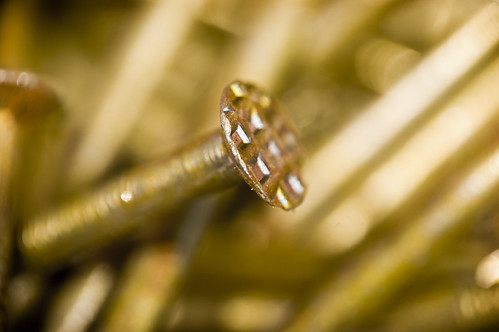
Nails

In thinking about how I love to make and create things, be it art, music, electronic things, software, blog posts, cookies, photographs, accessories…. I think about why I want to make and create things, and I think it has to do with a few things.

I’m Cheap. I’ll be the first to admit I don’t like spending money. My regular purchases tend to be things like food, gas, and rent. I pay the bills and I while I do pay for the tools I need to do my work (whether that work is “work-work” or “make/create-work”) I really don’t like to frivolously spend money on things, especially if I think I can make it myself. I prefer baking many of the foods that I eat over buying packaged food. I like knowing what’s in my food, and try to avoid certain things, so this helps a lot.

I’m DIY. I’m not sure how much the Do-It-Yourself label has been diluted (or perhaps spread is a better word) in the past 20 years or so, but 20 years ago I was printing my own zines, and stickers, and patches and t-shirts, and starting my own bands, and booking our tours, and booking shows for other bands, and putting out our own music (all of which was much harder to do without the World Wide Web) and for me, it feels good to do things myself. I see so many services online nowadays that provide things I can do myself, so I do them myself. There’s all this talk about outsourcing everything and putting it all in the cloud, but I often like to do it myself and be in control of things a bit more. I fear we’re creating a generation of people who expect “someone else” to do everything for them.

I’m a Legacy. My dad, and his dad, were both what we now call “makers.” They were both experienced woodworkers who build their own furniture, and could repair things, and had great collections of tools and knew how to use them. To this day, when I visit my mom’s house, I love the fact that the end tables were built by my dad. I’m a terrible woodworker in comparison, but I’ve taken to making other things, and when I do make something out of wood, I tend to paint it black to make it look cool, and to cover up my poor craftsmanship. When I make things, I sort of feel this connection to my family, who also made things.

I’m Fun. Who in the hell would ever think a pair of servos and a puppet would get such attention? Much of my making and creating things is done in the name of fun. Getting an idea and being able to execute it, to me, is a formula for a good time. If others enjoy it, it’s that much better… but I’m fine with being selfish and saying that it’s enjoyment in making and creating things that keeps me doing it.

I’m Cool. OK, I’m probably not cool, but what is cool is that it inspires people, like… my kids. (They might be the only people left who think I’m cool.) My daughter made me a cake and I’m still floored by how awesome it was. Knowing that they see me make things, and in turn want to make things, is top notch. I love it… I don’t even care if I’m not cool anymore.

So my plea to you, dear reader, is to Make and Create… Do Something! Don’t just be a passive consumer, buying a pre-packaged life, figure out what it is that you can bring into this world. If you’ve got ideas, take action on them, make them a reality, don’t be afraid of failing because failing is just what you do before you succeed.