Categories
Uncategorized

Comparing Macs

I’ve been using Macs for about 30 years (and Apple hardware for nearly 40 years) and I’ve said this before, but I’m not a latest-and-greatest kind of user. I don’t buy the first version (anymore) or the fastest bestest (ever) and I try to make do with the hardware I have. I use the old Macs for various things around the house/shop. There’s a MacPro3,1 running the laser cutter, and a Macmini2,1 used strictly for playing music and the occasional web search.

I still have two “main” computers I use daily. One is a MacBookPro9,2 that has been my “everyday carry” (when I used to go places) and the other is MacPro5,1 I got for super-duper cheap from a video producer friend of mine. The Mac Pro was stuck on High Sierra due to the lack of a Metal GPU, so I grabbed one recently to keep the old box going. I figured it was time to compare the two computers to see what they could do.

I’ll also mention that I probably don’t do as much heavy computing that I used to do. Things that would be “heavy” for me would be some 3D modeling/rendering, a bit of video/audio editing, and processing/editing RAW photos. As I said, I don’t need the fastest most powerful computer, and that’s good, because I don’t have one.

Here’s a quick comparison of the computers:

MacPro5,1 (Mid 2010) MacBookPro9,2 (13″ Mid 2012)
2 x 2.4 GHz Quad-Core Intel Xeon 2.8 GHz Intel Core i5
Intel Xeon E5620 2400 MHz (8 cores) Intel Core i5-3210M 2500 MHz (2 cores)
36GB RAM 1066 MHz DDR3 12GB 1600 Mhz DDR3
Radeon RX 580 8 GB Intel HD Graphics 4000 1536 MB

I used Geekbench 5 to get the following numbers:

Score MacPro5,1 MacBookPro9,2
Single-Core 458 554
Multi-Core 3682 1131
OpenCL 46089 992
Metal 50937 183

Whew! Those are some differences in those numbers. My main concern with these two computers is that I can continue to upgrade the OS for a few years, if possible. I just got the Mac Pro up to Mojave (and will get Catalina on it soon using OpenCore.) I’ve tried a few Mojave installs on the MacBook Pro, but they keep failing. I’ve got a new SSD coming to get that taken care of, so we’ll see how it goes.

Categories
Uncategorized

Recording Sign

I recently made a few “Recording” signs for Brown Dog Gadgets so that when we are recording or streaming no one opens the doors to the studio. This is one of those projects where I thought about it too long instead of just getting busy making it. And of course, like everything, there’s the issue of it being “good enough” versus being “done” and yeah, I just need to find a middle ground between those two things.

I did a quick design in 2D so I could laser cut some 1/8″ Baltic Birch plywood. I didn’t put calipers on the wood so the fit was a little tight, but nothing a few minutes of sandpaper couldn’t solve. Also, since I painted the pieces it slotted together fairly tight so I didn’t even add the 3mm hardware I had planned on. I’m pretty sure if it falls off the wall there’s about a 50% chance it’ll stay put together versus coming apart. I’ll call that a win.

Josh and I talked about using an ESP8266 so we could control it from the studio wirelessly, or just running power to it from within the studio but in the end I just went really simple (hey, it’s version 1.0) and there’s an ATtiny85 programmed using the Arduino IDE to just blink a string of NeoPixels on and off in red. Simple works and usually gets done… eventually.

[ Twitter Content Removed ]

Who knows? Maybe I’ll make a version 2 that is controlled via WiFi and use matte paint instead of gloss and actually design in an on/off switch hole instead of drilling it later. Stay Tuned!

Categories
Uncategorized

Hammer, Screwdriver, Illustrations, etc.

I use Illustrator a lot when I create guides at Brown Dog Gadgets, but most of my vector work in the past 10 years has been creating files for digital fabrication, so getting back into the “illustrate a thing to make it look nice” has been interesting. I’m about 6 months into almost daily use of Illustrator and I’m now working on making better illustrations.

Above is a hammer I recently illustrated, at home, on my own, for fun. I started with a photo of a hammer as a guide and got the basic outline and shapes by tracing on top of it, then I put it off to the side and used as a reference. There are things I really like about it, and some room for improvement, but overall I think it’s good progress.

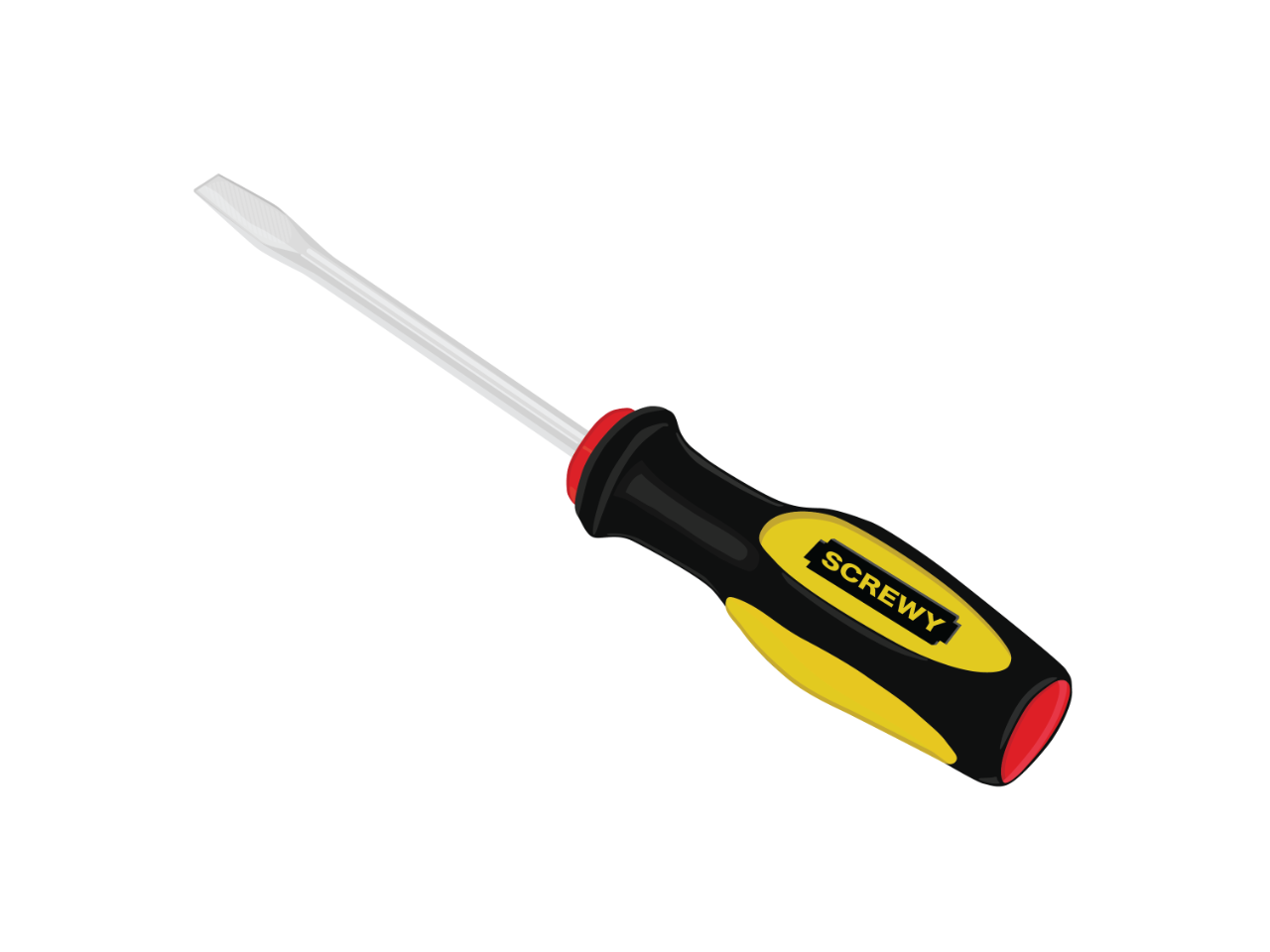
Here’s another one, which is (obviously) a screwdriver. This one took about 90 minutes (the hammer was probably a little less) and I definitely could have done more, or come back to it, but part of this process is not to obsess over it, or go back to it again and again, but to sit down, do an illustration and call it done. (Probably 60 to 90 minutes and not more.)

Here’s a recent one I did for work. I needed a safety pin for a guide, so I very quickly made this one based on a photo I found. This is not perfect, but I think it’s good enough. Part of creating guides is just getting it done quickly, so being able to knock these out in a timely fashion is key.

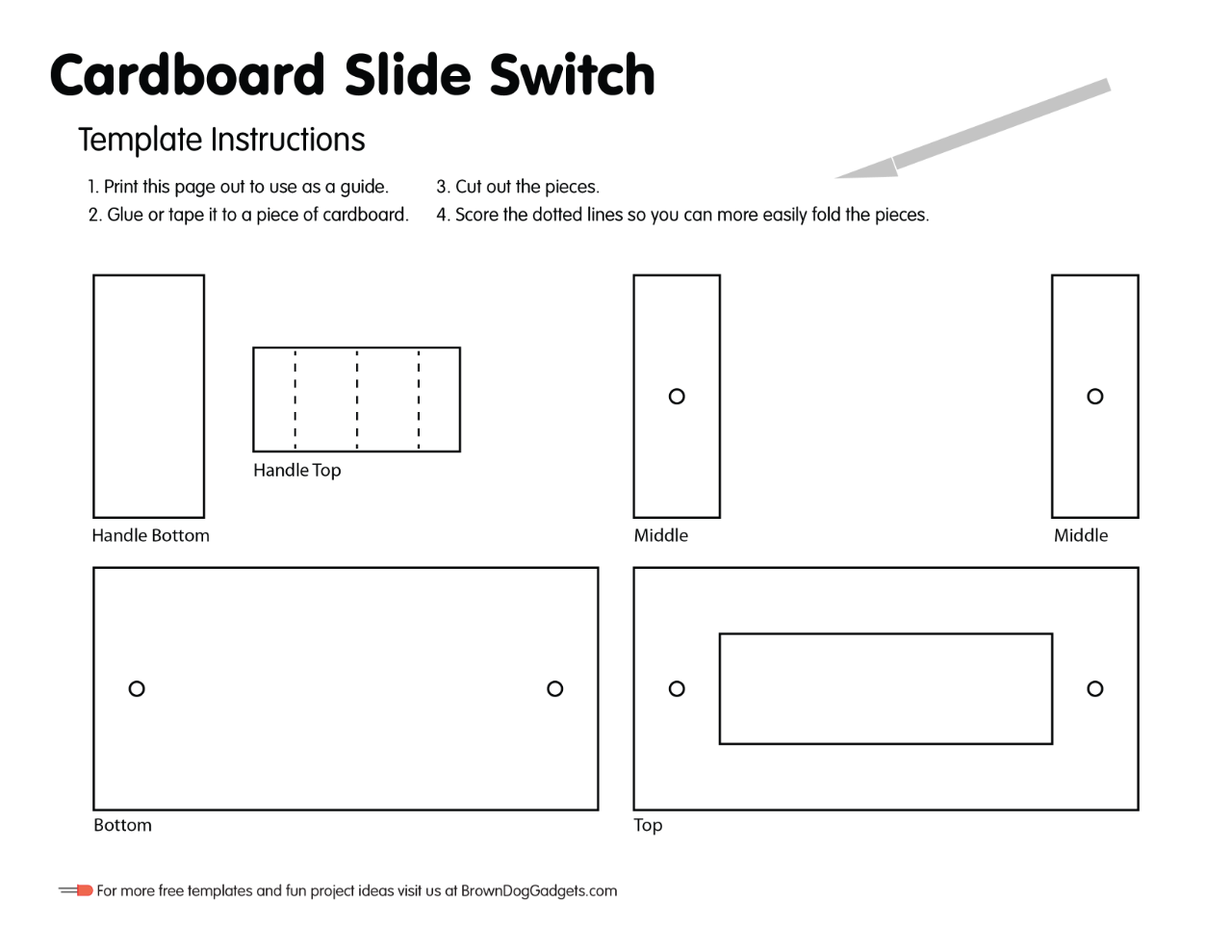
Below is an example of a guide with a bunch of illustrations. This is one of the more complex guides. I usually do the three dimensional view part of it by taking a 2D version and using the shear tool. I don’t yet know if there’s a better way to do it. One of the guides I looked at basically said “Prepare for the shear tool to get away from you and screw everything up.” So, yeah… I’d love to find a better way to do it, especially since the proportions seem off.

I typically use Inkscape for my digital fabrication work, and I did get a license for Affinity Designer which I’ve used a bit, but overall I’d prefer to keep my skills separated and not tied to a specific application, which may mean I have two things to do: Get more familiar with Adobe Illustrator, and also start doing these sorts of illustrations in Inkscape and/or Affinity Designer.

Also, I am open to any critique or advice on my illustration work. (Thanks!)

Categories
Uncategorized

More PCBWay Boards

I’ve been working on a number of projects the past few months, and many of them require custom printed circuit boards. A few weeks ago as I was finishing up the design of a new board I got an email from the crew at PCBWay. (You might remember that I had boards made by them a few years ago.)

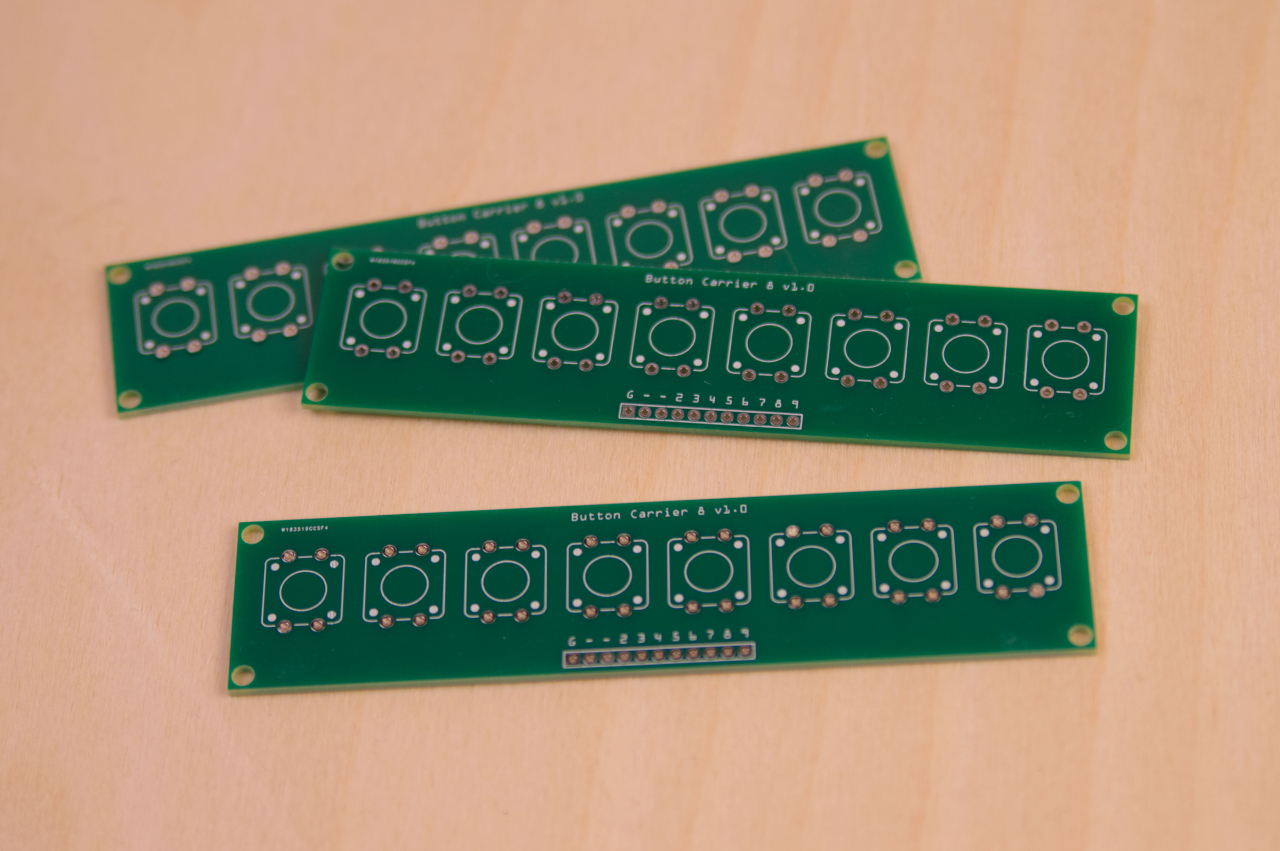
As luck would have it I was just exporting some Gerber files so the timing was great! I got my boards created by PCBWay and they arrived about two weeks ago. It took me a bit of time to wrap other projects and get things soldered up and programmed, but the boards worked great. Often you don’t get PCBs right the first time, but luckily all my connections were fine (It’s a fairly simple board) but there are a few things I might want to change about the dimensions and the mounting holes.

I’ve been using this as a supplemental USB keyboard. For testing I’ve programmed it to be function keys F13 through F20 (which can then be assigned to key commands for certain applications, like OBS: Open Broadcaster Software.) I’ve also set it up as a MIDI device to trigger sound effects using my SoundProp application. It can also serve as a toggle for your mic and camera in videoconferencing software like Zoom, Google Meet, Microsoft Teams, etc. It’s pretty robust in its capabilities.

I still need to finish up an enclosure for it, and then do more rigorous testing, but so far the boards and functionality have been great. (If there’s interest in these devices, I’ll probably drop a few into the Etsy Shop.)

Categories
Uncategorized

Garage Door Joke

One of the fun/ridiculous projects I did at Milwaukee Makerspace was this Garage Door Status Updater. It was part of the reMMinderbot project, which would send reminder emails to the mailing list. Typically useful things like reminding members about upcoming meetings, which side of the street to park on, etc.

This bit was based on the imaginary (or maybe “not yet realized”?) Milwaukee Makerspace Sensor Array Network, which, again, did not exist. See, we had this rule/guideline that the garage door should be closed at night so as not to disturb the neighbors. So I set up some cron jobs to send an email showing a “live camera image” of the garage door open after 10pm, then it would send another email shortly after than with the door closed and a “Thank You!” from reMMinderbot.

I’m pretty sure at least one person noticed after the second time that my car was always in the parking lot in the same spot…

Anyway, I just found these files and they were a reminder of the fun I used to have before the pandemic. Good Times… <sigh>